by Saundra (Sandy) Foderick, Editor | Aug 16, 2020 | News & Events
 Looking for a meeting topic? Apple’s Apple News and Apple News Plus might be just the thing for a quick discussion. ASW has a recent pdf covering what each offers.
Check it out: Apple News – First Look (L542578A-en_US)
https://asw.apple.com/Salesresource/L542578A-en_US
Apple Ambassadors, August is a great month to check out ASW.
by Saundra (Sandy) Foderick, Editor | Aug 16, 2020 | News & Events
 O’Reilly has been a part of the user group community for more than 30 years, so it is hard to remember back to 1978 when it was a small consulting company with a focus on UNIX and related technologies. By 1986 O’Reilly was publishing their Nutshell books and 1988 brought their well-known animal covers. By 1992 many of us were reading our copies of the Whole Internet Users Guide and Catalog while our more adventurous members were reading Programming Perl. As the years went on, many of us became fans of their Missing Manual series.Today, O’Reilly is an integral part of the technology community, providing handbooks, webcasts, conferences, trainings materials, online resources, Maker Faires, and more. Are your members taking full use of their resources? (more…)
by Saundra (Sandy) Foderick, Editor | Aug 16, 2020 | News & Events
by Tom Piper, Coordinator
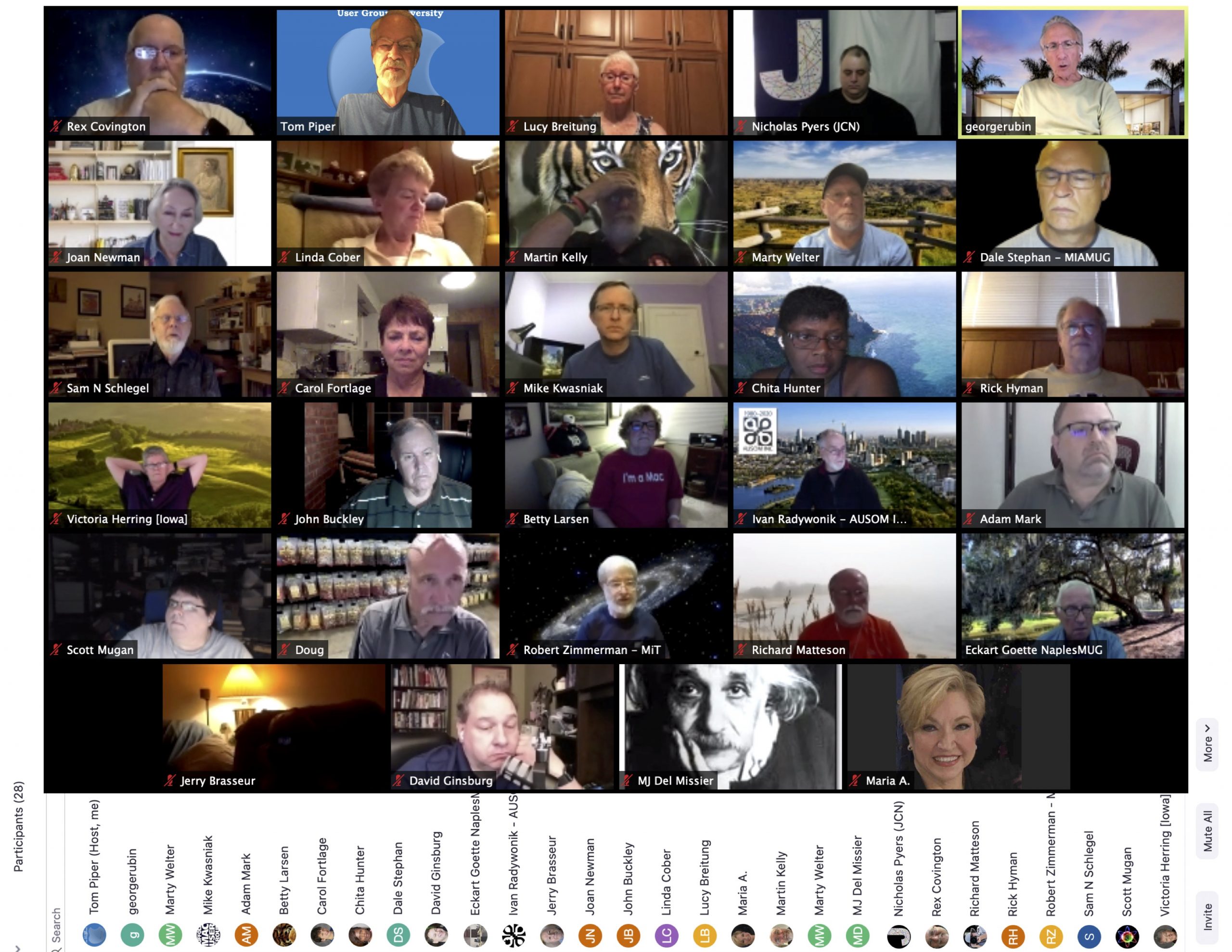
Our fourth Apple World User Group University online gathering of Apple user group leaders was held at 8:00pm CST, on July 20, 2020, via Zoom. We had 29 participants who joined for the topic of “Nuts & Bolts of User Group Management” (see attached image and list). The 61-minute video can be viewed at: https://youtu.be/l9QH31pJyAk (unlisted YouTube).
This session opened with my welcome, Zoom instructions, and a 5-minute presentation about my appleJAC User Group where I presented our 35-year history and operations (www.applejac.org). I also introduced Doug Smith and Rex Covington from Houston TX, who are Chair and Photographer respectively of the Apple User Group Advisory Board. (more…)
by Saundra (Sandy) Foderick, Editor | Jul 14, 2020 | News & Events
 This month’s featured vendor is Joe Kissell of alt concepts, co-publisher (with his wife Morgen Jahnke) of Joe on Tech and Take Control Books, a senior contributor to Macworld, prolific author, and long time user group supporter. Joe On Tech guides provide friendly, comprehensive and up-to-date advice on important tech topics. Take Control ebooks cover much more detail than a magazine article but are shorter, more focused, and more timely than a typical printed book. Joe is Take Control’s most prolific author and you probably have at least a few of his works already. Other beloved Take Control authors include well-known tech experts, such as Andy Affleck, Caroline Rose, Glenn Fleishman, Jason Snell, Jeff Carlson, Jeff Porten, Josh Centers, Kelly Turner, Kirk McElhearn, Michael E. Cohen, Robyn Weisman, Scholle McFarland, and Sharon Zardetto.
(more…)
by Saundra (Sandy) Foderick, Editor | Jul 13, 2020 | News & Events
 Randy Singer, leader of the 9.000+ member strong MacAttorney User Group, co-author of multiple editions of the well-loved Macintosh Bible, author of the ABA’s The Macintosh Software Guide for the Law Office, writer of the MacAttorney Newsletter, and popular presenter, recently posted a link to his most-popular web site, covering routine Macintosh maintenance.
Mac Attorney: Routine Macintosh Maintenance
Interestingly, the site is just one of the many resources that Randy generously has been offering for free since 1996 via his MacAttorney pages. Here are a few others that are both popular and informative.
Macintosh Word Processing Software
Free Or Inexpensive Macintosh Software
Macintosh Slowdown Solutions
Macintosh Beachballs!
Upgrading To The Latest Macintosh OS
Macintosh Accounting Software
Macintosh Email Software
Thanks for all you do for the Macintosh community Randy!
http://www.macattorney.com
by Saundra (Sandy) Foderick, Editor | Jun 14, 2020 | News & Events
Many groups have moved to online meetings. Still, it can be hard to find a meeting topic when members and presenters are doing their part to flatten the curve. The good news is that each Today at Apple – At Home session offers unique and helpful ideas so your members can get more from the software and hardware they already own and enjoy.
Current Today at Apple – At Home titles include:
- Turn your home into music with GarageBand
- Add a bit of magic to videos with Clips
- Add drama and style to your portraits with iPhone
- Make your videos more cinematic with iPhone
- Draw playful portraits with iPad
Each session is short – lasting only 3-5 minutes – and the tutorials are fun, clever, and easy.
Help your members learn a new skill today.
https://www.apple.com/today/feature/today-at-home/
by Saundra (Sandy) Foderick, Editor | Jun 12, 2020 | News & Events
 For more than 20 years Michael Horton, founder of the LA Creative Pro User Group (LACPUG), has brought storytellers together. In fact, over the last twenty years, Michael, leading LAPCUG, produced 220 events (WOW!). He started the LA Final Cut Pro group in 2000, was instrumental in groups moving from a single tool to a focus on the greater creative pro community, and was a co-founder of the CPUG Network and their SuperMeets. Over the past few years, there have been wildly popular SuperMeets in London, Austin, Amsterdam, San Jose, Boston and San Francisco, each with its World Famous Raffle and each offering another opportunity to enhance the lives and expand the networks of creatives across the world.
Congrats to Michael – The creative community are glad you are planning to stay on for at least one more year!
Michael Horton Lifetime Achievement Award at NAB 2019 (more…)
by Saundra (Sandy) Foderick, Editor | Jun 11, 2020 | News & Events
Looking for a meeting topic? Apple recently released a major update to Logic Pro X, with a professional version of Live Loops, a completely redesigned sampling workflow, and new beat-making tools.
Check it out: Logic Pro X – First Look (L574602A-en_US)
https://asw.apple.com/Salesresource/L574602A-en_US
Apple Ambassadors, June is a great month to check out ASW.
by Saundra (Sandy) Foderick, Editor | Jun 10, 2020 | News & Events
With so much misinformation and partial information regarding COVID 19, Apple has two new offerings that you can trust. Apple, in partnership with the Centers for Disease Control and Prevention, the White House-led coronavirus task force, and the Federal Emergency Management Agency, developed a useful and trustworthy COVID-19 app and website that can help you identify best practices and personally-tailored next steps during this difficult time.
The app and website provides a series of questions around risk factors, recent exposure, and symptoms for the user or their loved ones. Once the questions are completed, the user will receive clear and practical CDC recommendations, including guidance on social distancing and self-isolating, how to closely monitor symptoms, whether or not a test is recommended at this time, and when to contact a medical provider. This is not a COVID 19 test – it is a pair of wonderful resources that can help users access trustworthy information, decrease anxiety, increase safety, and identify next steps, all personally tailored to each user’s answers and experience.
Check these resources out today:
Apple’s COVID-19 website, available on any platform via your preferred browser.
https://www.apple.com/covid19/
Apple’s Apple COVID-19 App – currently #1 in Health and Fitness on the App Store:
https://apps.apple.com/us/app/id1504132184
Information about Apple Store Openings:
https://www.apple.com/store-opening-letter/
Thanks to Apple Engineer Dave Marra and OMUG President Steve Welsh for this great tip!
by Saundra (Sandy) Foderick, Editor | May 14, 2020 | News & Events
Apple’s Accessibility home page says that the true value of a technology is not measured by how powerful it is, but by how much it empowers the user, and every Apple product contains amazing and empowering accessibility features right out of the box.
May 21 is Global Accessibility Awareness Day (third Thursday in May), accessibility is a popular user group meeting topic. From being able to take a perfect group selfie, write a text, or email without being able to see the screen; to VoiceOver to describe what is happening on any Apple device, display accommodations that can even assist with color blindness, Live Listen, closed captioning that displays far more than text, FaceTime and health tracking, LED iPhone notifications, Switch Control, customized gestures, AssistiveTouch, Guided Access, typing feedback, text-to-speech, fitness algorithms for wheelchair users, AirPods, and so much more, there are features to make every user’s tasks easier – truly empowering each user.
Want to make accessibility your group’s next meeting topic? Apple’s Accessibility Website, 17 YouTube videos on Apple Support’s Channel, and Today at Apple can make your next meeting a great one:
Apple Support’s YouTube Channel: Accessibility
Apple Accessibility Website
Today at Apple Accessibility Sessions