Members often ask about the difference between Apple Store gift cards and App Store and iTunes gift cards. Each has a specific purpose:
Apple Store gift cards can only be used for purchases from an Apple Store, purchases made from Apple.com, or by calling 1-800-MY-APPLE. They can be used to purchase hardware and accessories. You cannot use an Apple Store card for iTunes purchases. You do not need an Apple ID to use an Apple Store gift card.
App Store and iTunes cards can be used for downloadable purchases, including the over 50 million songs, millions of apps, books, TV shows, and movies on iTunes. The value can also be used for in-app purchases. You must have an Apple ID to use an App Store and iTunes gift card because the value of the card is, when cashed, applied to your Apple ID account.
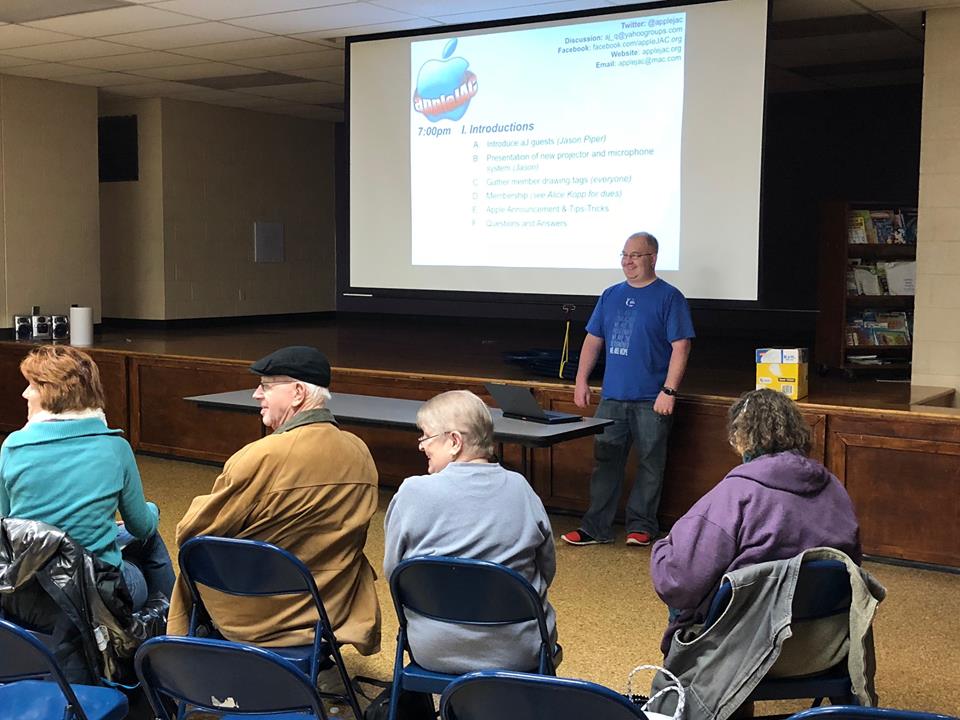
appleJAC Apple Users Group has been video streaming each of its meetings for most of 2018 with great success. This replaced prior digital recordings and CD/DVD distribution, which had limited success due to manual steps, overhead, cost and distribution.
We elected to use Facebook Live for the integration with our existing appleJAC Facebook page, with built-in notifications and the ease of reaching our audience.
Equipment requirements have been minimal, with our videographer utilizing an iPhone and tripod stand or light stand. An optional external battery ensures continued Live Broadcast for the entire two-hour meeting. Getting started with a Live Broadcast requires minimal steps, including a short introduction and a brief overview about what we will cover during the meeting.
If you are a Facebook member, then the live video can be watched.
After the meeting, anyone can watch the stored meeting videos, without being a Facebook member. This has been very successful with 3-9 people watching live, and many more afterwards (both user group members and non-members).
Interested groups and members are welcome to view our meetings by going to facebook.com/appleJAC.org
Looking for a short presentation for your group? ASW has you covered.
Why not use ASW’s What you need to know about Apple Watch, the ECG app, and health features (L580265A-en_US) and What you need to know about Apple Watch and cellular connectivity (L569418A-en_US) for your next meeting? Curious about macOS Mojave? Check out macOS Mojave – First Look (L577303A-en_US).
In March Apple created a specialized curriculum for educators, Everyone Can Create, to help students develop and communicate ideas through drawing, music, video, and photos on iPad. On October 1 Apple released the Everyone Can Create curriculum to the general public via Apple Books. Everyone Can Create includes four new project guides for drawing, music, video, and photos, available for free in Apple Books. Each guide provides a series of projects that build skills progressively, helping users gain foundational-to-advanced techniques in each medium.
Over the years, some of the best ideas for user group leadership have come from the worldwide community of user group officers, the hard working leaders and experts who ensure that their groups survive and thrive.
This month’s How To features one of the most popular presentations ever presented at a User Group University session. In his session, Dr. Scott Pelok talked about the various sorts of difficult people we encounter in our groups and in everyday life. The Board still gets letters asking about the presentation and we have heard from folk who say his tips helped resolve challenging situations in their groups. Use the link below to download his presentation.
In September we received a request for a copy of Jennifer Shelby’s The Art of Leadership, delivered at a San Francisco User Group University. The longevity of some presentations is amazing! This one, delivered 14 years ago is still on point and offers great ideas for excellence on the part of the hard working leaders and experts who ensure that their groups survive and thrive.
Articles by Bill Oldham, Brad Smith, Pam Doughty, and Monty Maizles
The August 2018 issue of AUSOM News contains a number articles providing an insight to fonts that arose from a presentation two AUSOM members, Bill Oldham and Brad Smith, gave to the iWork Special Interest Group at July AUSOM meeting.
They provide some useful hints, tips and insights to the use of Fonts and Typography that deserve a wider audience… So, the separate articles by Bill and Brad have been combined here, along with a short tip from Pam Doughty and an amusing sign captured by Monty Maizles.
Please feel free to share a link to this article with your own members.
On July 9 Apple posted transcripts from WWDC18. The site now contains videos and text-based transcripts tat you can search by keyword, see all instances where the keyword is mentioned in the video, go straight to the time it was mentioned, and even share a link to that specific time.
June’s featured vendor is a user group favorite: Bob “Dr. Mac” LeVitus. You may have enjoyed his ability to translate technical jargon into usable and entertaining guidance at one of his many User Group University appearances, watched him present at Macworld, read one or more of his 80 computer books, or simply enjoyed hearing him explain technical topics in ways that make sense for The Houston Chronicle or The Mac Observer. His newest project is Working Smarter for Mac Users, taking those years of experience and expertise and creating a course, consulting sessions, and an eBook that clearly live up to their name, helping users complete more work in less time. (more…)
Groups have had a positive response to accessibility as a meeting topic. Apple’s Accessibility home page says that the true value of a technology is not measured by how powerful it is, but by how much it empowers the user, and every Apple product contains amazing and empowering accessibility features right out of the box. From being able to take a perfect group selfie without being able to see the screen, to VoiceOver, display accommodations, Live Listen, closed captioning that displays far more than text, LED iPhone notifications, Switch Control, customized gestures, AssistiveTouch, Guided Access, typing feedback, text-to-speech, fitness algorithms for wheelchair users, and more, there are features to make every user’s tasks easier.
Another great way to enjoy an accessibility presentation is to bring your group to a Today at Apple Accessibility session showing the basics of using the assistive technologies that are built into every Mac, iPad, iPhone, and Apple Watch.
One way to avoid a presentation disaster is planning ahead for a presentation kit. This month, Nicholas Pyers of AppleUsers.org offers us an updated look at the cables, adaptors and accessories that any group conducting presentations on regular basis should consider having on hand. By being prepared, you can be sure that if your presenter arrives with the wrong, or no, cable or adapter, the show will go on.Check it out!
Ever wonder what Nicholas is doing when he is not writing for the user group community? While his new cruise tips and commentary blog is coming soon, be sure to check out some of his current projects.
We use cookies on our website to give you the most relevant experience by remembering your preferences and repeat visits. By clicking “Accept”, you consent to the use of ALL the cookies. Our Privacy Policy
This website uses cookies to improve your experience while you navigate through the website. Out of these, the cookies that are categorized as necessary are stored on your browser as they are essential for the working of basic functionalities of the website. We also use third-party cookies that help us analyze and understand how you use this website. These cookies will be stored in your browser only with your consent. You also have the option to opt-out of these cookies. But opting out of some of these cookies may affect your browsing experience.
Necessary cookies are absolutely essential for the website to function properly. These cookies ensure basic functionalities and security features of the website, anonymously.
Cookie
Duration
Description
cookielawinfo-checkbox-analytics
11 months
This cookie is set by GDPR Cookie Consent plugin. The cookie is used to store the user consent for the cookies in the category "Analytics".
cookielawinfo-checkbox-functional
11 months
The cookie is set by GDPR cookie consent to record the user consent for the cookies in the category "Functional".
cookielawinfo-checkbox-necessary
11 months
This cookie is set by GDPR Cookie Consent plugin. The cookies is used to store the user consent for the cookies in the category "Necessary".
cookielawinfo-checkbox-others
11 months
This cookie is set by GDPR Cookie Consent plugin. The cookie is used to store the user consent for the cookies in the category "Other.
cookielawinfo-checkbox-performance
11 months
This cookie is set by GDPR Cookie Consent plugin. The cookie is used to store the user consent for the cookies in the category "Performance".
viewed_cookie_policy
11 months
The cookie is set by the GDPR Cookie Consent plugin and is used to store whether or not user has consented to the use of cookies. It does not store any personal data.
Functional cookies help to perform certain functionalities like sharing the content of the website on social media platforms, collect feedbacks, and other third-party features.
Performance cookies are used to understand and analyze the key performance indexes of the website which helps in delivering a better user experience for the visitors.
Analytical cookies are used to understand how visitors interact with the website. These cookies help provide information on metrics the number of visitors, bounce rate, traffic source, etc.
Advertisement cookies are used to provide visitors with relevant ads and marketing campaigns. These cookies track visitors across websites and collect information to provide customized ads.

 Members often ask about the difference between Apple Store gift cards and App Store and iTunes gift cards. Each has a specific purpose: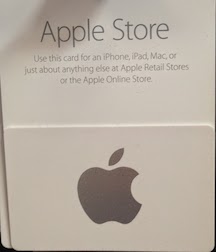


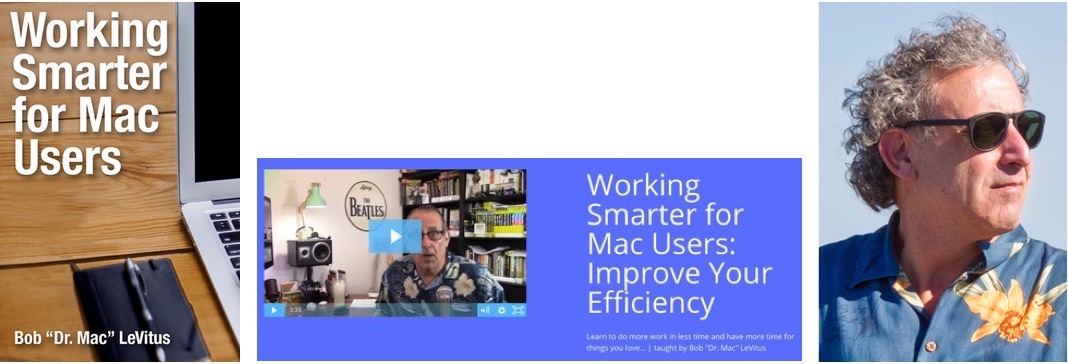 June’s featured vendor is a user group favorite: Bob “Dr. Mac” LeVitus. You may have enjoyed his ability to translate technical jargon into usable and entertaining guidance at one of his many User Group University appearances, watched him present at Macworld, read one or more of his 80 computer books, or simply enjoyed hearing him explain technical topics in ways that make sense for The Houston Chronicle or The Mac Observer. His newest project is Working Smarter for Mac Users, taking those years of experience and expertise and creating a course, consulting sessions, and an eBook that clearly live up to their name, helping users complete more work in less time.
 One way to avoid a presentation disaster is planning ahead for a presentation kit. This month, Nicholas Pyers of AppleUsers.org offers us an updated look at the cables, adaptors and accessories that any group conducting presentations on regular basis should consider having on hand. By being prepared, you can be sure that if your presenter arrives with the wrong, or no, cable or adapter, the show will go on.